















TradeZella alternative: plan, trade and journal on your own MT5
TradeZella is a trading journal that syncs with many brokers and markets. PipLoop works with MT5 only: it logs the trades on your connected account and ties each one to the Playbook steps you answered.
Pick TradeZella if you trade several markets or brokers, or want built-in AI, mentor sharing, prop-firm tracking and a large community. Pick PipLoop if you trade on MT5 and want your checklist, charts, orders, practice and journal in one place, with analytics that point to the step to fix.
Where TradeZella is strong
- Syncs with many brokers and trading apps, MT4 and MT5 included. MetaTrader accounts connect with a read-only investor password, with no EA to install.
- Journals stocks, futures, forex and crypto in one place, with file upload or manual entry when a broker has no sync.
- A large set of reports, a notebook for daily plans, and strategies with rule groups, missed-trade logging and expectancy per strategy.
- Zella AI, a built-in assistant that reviews performance, tags trades and drafts notes, using credits from your plan.
- Mentor and group sharing (Spaces), prop-firm tracking, courses and a community.
Where PipLoop differs
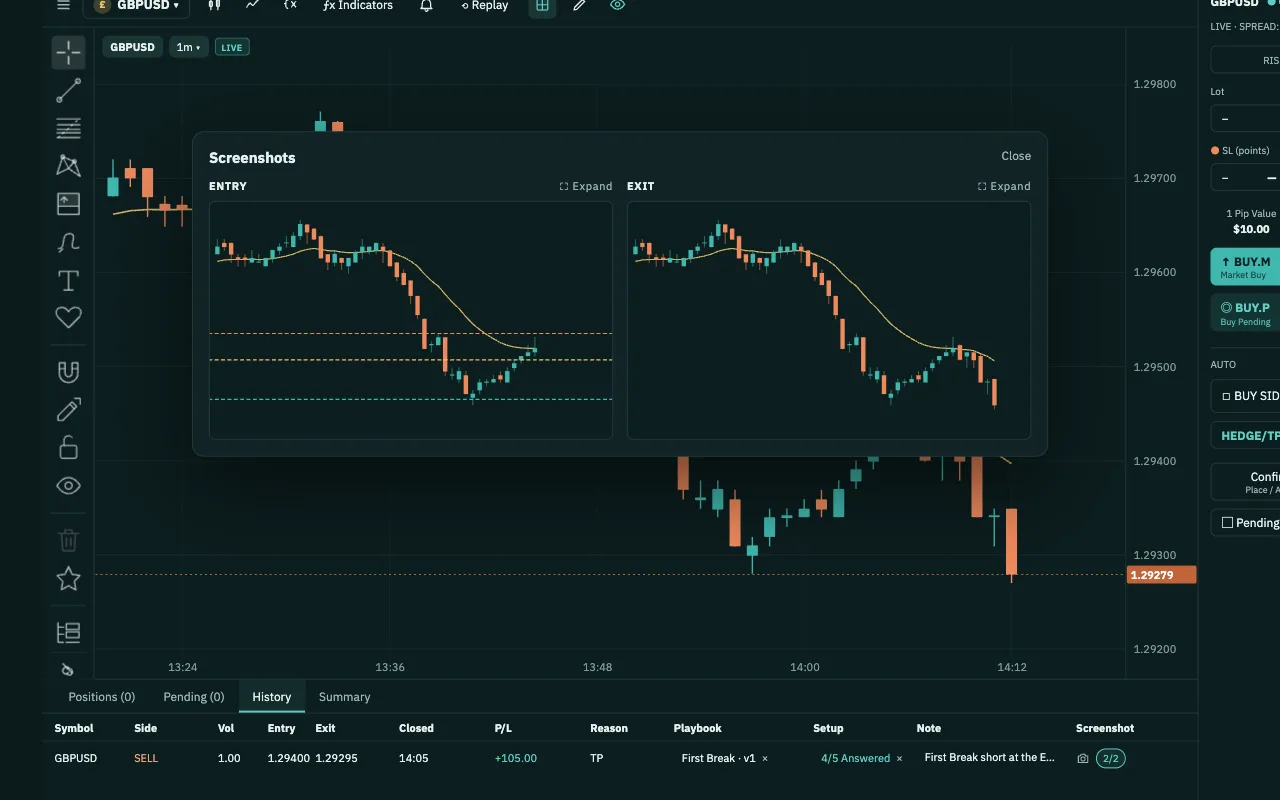
- Rules answered before entryA Playbook step lists its answers and where each leads: next step, Enter the trade or No trade. Answer it on the pending order, and the trade counts as planned before entry.
- Costliest mistakes by stepLearn lists trades you took although your answer said no trade, by playbook and step, with the count, the cost and your screenshot next to a valid example.
- A what-if on your own tradesThe Stop-rule simulator replays your closed trades with one rule, such as stop after 2 losses in a day, and compares the results. Nothing is traded; it is not a forecast.
- Practise and trade in one placeChart Workspace places your orders through the PipLoop EA on your MT5. Backtest and Replay use the same Playbook, and Analytics sets practice trades beside live ones.
- Verify before you automateFlow Builder backtests rules with the costs you set, then runs the same Flow on your MT5. Its trades stay out of Journal Analytics, which covers the trades you place yourself.
Side by side
| TradeZella | PipLoop | |
|---|---|---|
| How trades get in | Auto-sync, file upload or manual entry | Logged by the PipLoop EA on your MT5 |
| Brokers and apps | Many, MT4 and MT5 included | MT5 only, at any broker |
| Install in MT5 | No: read-only investor password | Yes: the PipLoop EA |
| Markets | Stocks, futures, forex, crypto | The symbols on your MT5 account |
| Strategy rules on trades | Rule groups you tick off | Steps whose answers lead to Enter or No trade |
| Step-level analytics | Rules followed, expectancy per strategy | Costliest mistakes by step and answer |
| AI assistant | Zella AI, built in | Copilot AI, with your own API key |
| Backtesting | Bar by bar on years of history | Bar by bar; Replay on your MT5 history |
| Place orders | No: journal only | Yes, through the PipLoop EA (DEMO accounts today) |
| Mentor sharing, prop-firm tracking | Yes | No |
Questions about switching
No. PipLoop works with MT5 only, at any broker that offers it. Trades are logged by the PipLoop EA running in that terminal, including trades you place in MT5 itself. There is no file import, and PipLoop does not support MT4 yet.
The same EA links your account to Chart Workspace, logs your closed trades and places the orders you send from PipLoop. You connect it with an EA API key pasted into MT5, and PipLoop never asks for your broker password. Remove the EA from MT5 and the link ends.
The trades you place yourself. Flow Builder trades are left out, and the Summary says how many; a Flow's results are in Flow Builder. AutoDrive trades on the same account are not filtered out, so use a separate account for AutoDrive if you want a journal of your own trades only.
Copilot AI works inside Chart Workspace with your own AI provider API key. Ask about your journal and it reads your Journal summary and recent trades. The step-by-step breakdown is on the Analytics page, not in Copilot.
Yes. TradeZella reads an MT5 account with a read-only investor password, so it can keep journaling the same account while you use PipLoop's Playbook, Chart Workspace and Analytics on it.
From TradeZella's public pages, checked on October 30, 2026:
- TradeZella home page
- TradeZella features
- TradeZella blog: How to connect MT4 and MT5 to a trading journal (2026-03-31)
- TradeZella Help: Getting started with TradeZella (updated 2026-02-25)
- TradeZella Help: Getting started with strategies (updated 2026-01-30)
- TradeZella Help: What is Zella AI (2026-07-17)
TradeZella is a trademark of its owner. PipLoop is not affiliated with or endorsed by them.