















Write the method in your head as a Playbook.
Clear steps: when to enter, when to stay out, where your stop goes. No more decisions in the heat of the moment.
Write your method →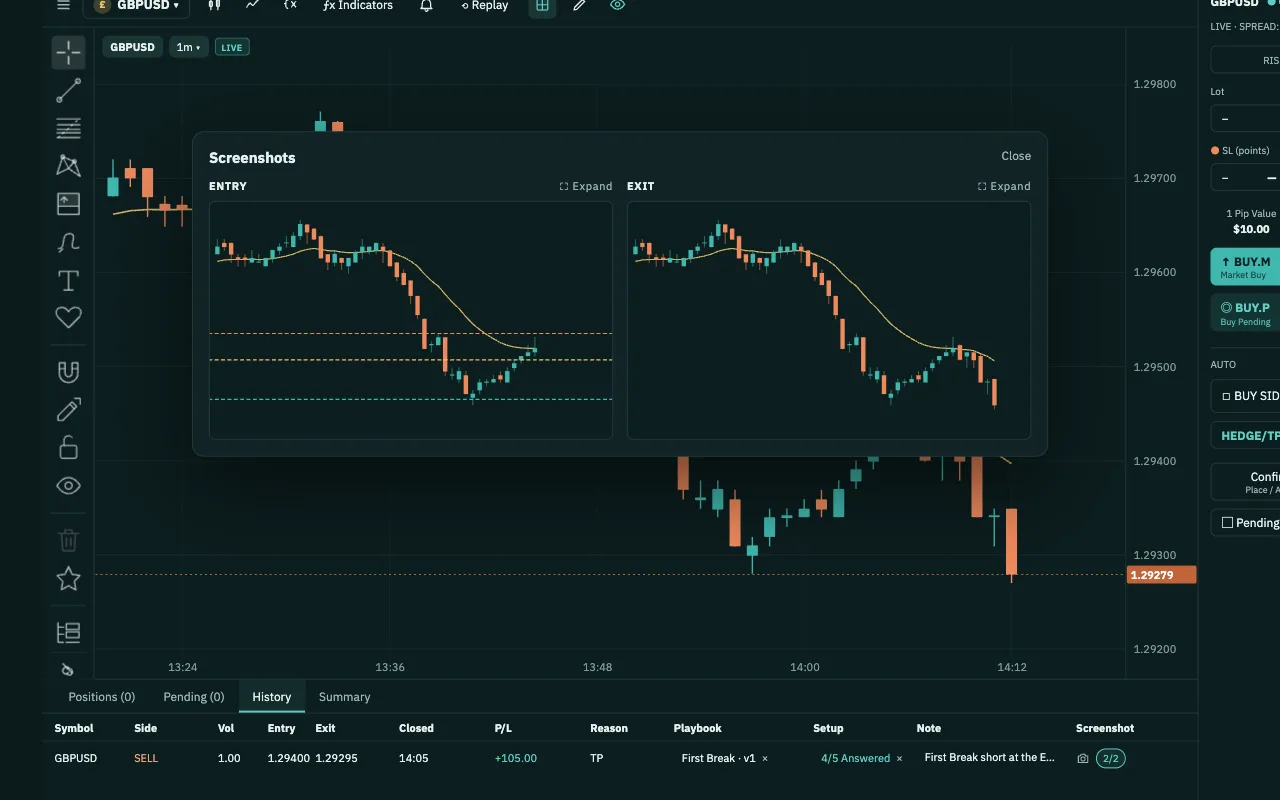
Turn your setup into a step-by-step checklist; 12 ready-made setups included
Learn about Playbook →Many traders search everywhere for a method, even once they are profitable but not yet consistent. Your way of entering trades has built up over the years. It just hasn't been written down, verified or refined. PipLoop helps you do all three.
Clear steps: when to enter, when to stay out, where your stop goes. No more decisions in the heat of the moment.
Write your method →PipLoop templates are your foundation, each with chart examples, in your language. Pick one and start practising today.
See the templates →Turn your idea, or a template, into a Playbook checklist: when to enter, when to stay out.
After a few weeks of backtesting, Analytics shows which step drags your win rate down. Fix that step, then verify again.
Replay your setup on the data from your own MT5, so you see how it plays out at your broker, not someone else's.
The right tools make complicated things simple: analyze and place orders in one place, practise the strategies others shy away from, let your strategy run itself, and know exactly what to do next.
Don't analyze or backtest on a platform you know by heart, then move elsewhere to place orders just because that platform doesn't support your broker. In PipLoop, charts, indicators, drawing tools and order management sit on one screen, wired to your own MT5.
Someone says DCA and hedging always lose and blow accounts? Don't take anyone's word for it. Replay it and practise it until you can smile when you hear that. Then let AutoDrive run your own rules on your MT5.
Build your own strategy from drag-and-drop blocks, without a line of code. Backtest it with spread, fees and slippage, then apply it on your MT5 with the very same engine. Set it once, let the rules run, and check in from your phone when you need to.
Not another report full of charts. Analytics shows the exact step that loses you money, how much you'd have kept by stopping at the right time, and Copilot AI explains it when you need. You know exactly what to do next.
When your plan lives in one place, your backtest in another, your orders in a third and your journal somewhere else, you lose track of yourself. In PipLoop it all connects: your Playbook follows you from Backtest to MT5, every trade lands in your Journal, and Analytics reads that same data.
You already have everything you need: a method, the tools and one place to practise. Good pilots aren't made by theory but by flight hours. Trading is the same: every loop in PipLoop adds flight hours and skill, and results come from those hours.
Good luck, and every success.
Being careful about connecting your MT5 account to a new tool is right. That's why PipLoop never touches your money or your password: orders only go through the EA on your own MT5, by the rules you set.
Yes. Start from setup templates with chart examples, practise bar by bar in Backtest with your checklist beside you, and let the Journal show which step to fix. No coding needed.
Yes. Flow Builder builds a strategy from drag-and-drop blocks, from entry to exit, backtests it with costs, then runs it on your MT5. AutoDrive runs DCA and hedging by the rules you set.
Any broker with MT5. You choose which account to connect, and we recommend practising on a DEMO account. PipLoop does not support MT4 yet.
Historical data built from real ticks, with the spread taken from each tick. Every report names its data source and period. Replay in Chart Workspace reads price history from your own MT5.
Only for automation: AutoDrive and Flow need your MT5 running, and many traders use a VPS for that. Backtest, Playbook and Journal run in the browser.
Yes, in your phone's browser, with no app to install. Follow your trades, get price alerts and switch AutoDrive on or off on the move.
Yes. The Free plan has no time limit and needs no card. When you need more, pick the plan that fits.
No. PipLoop is a tool for practising and verifying your own method. Backtest results are simulated and do not guarantee future results.
The website, setup templates, guides and help come in every language in the switcher at the top of the page. The app interface is in English for now, keeping the terms traders already use.