















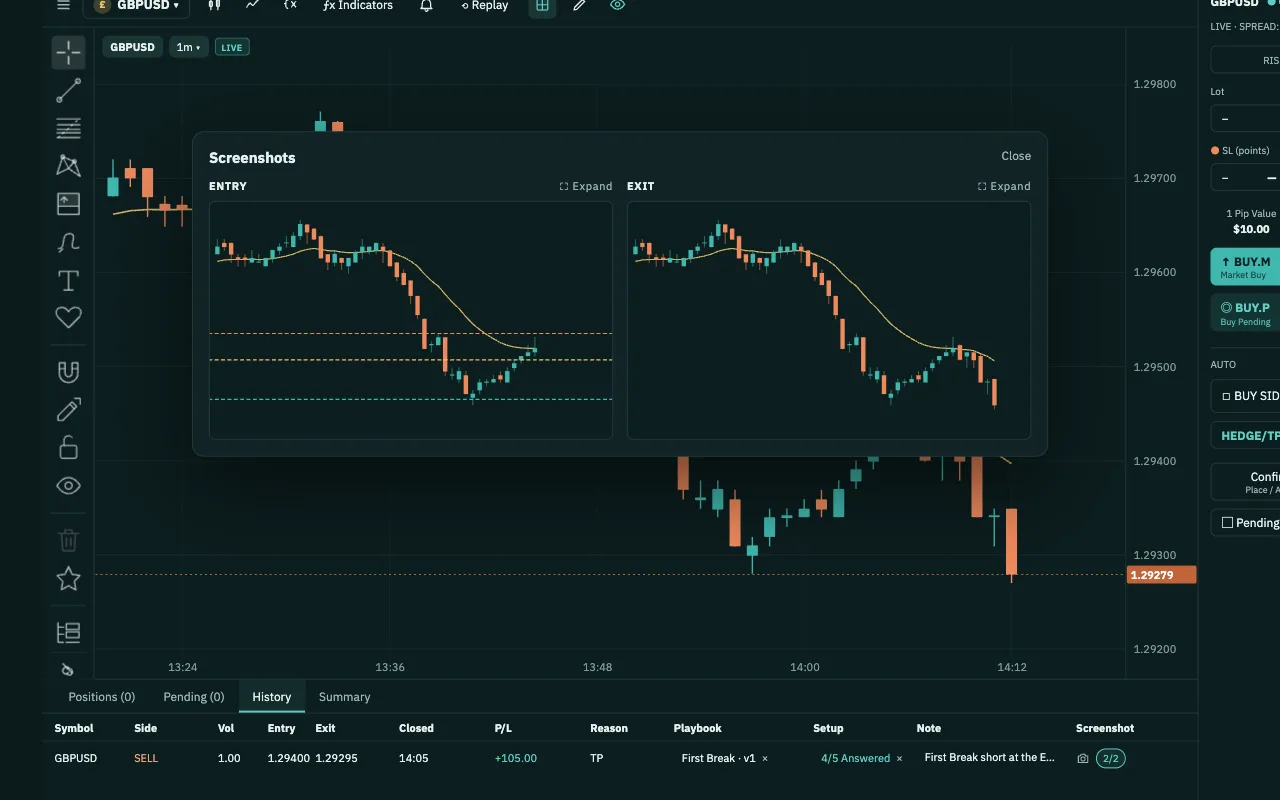
Write your setup as steps. Follow it on every trade.
A Playbook holds one entry setup. Its steps run left to right, and each step lists the answers you can give and where each one leads. Attach it to an order and answer it before you enter.
Free plan · No card neededQuestions you might be asking yourself
- Why do I break my own rules in the heat of the moment?Usually because they were never written down. In a Playbook, every step lists its answers and where each one leads: the next step, Enter the trade or No trade. You answer on the pending order, before you enter, and the answers stay with that trade.
- My method only lives in my head. How do I write it down?Create a playbook, add a step and type in its answers. Any step can have a checklist and your own example images. Publish it, and you can pick it on an order straight away in the Chart Workspace and Backtest docks.
- I'm new. Where should I start?Start from a setup template. Read its steps and the examples drawn on the chart, and check its parameters for your symbol and timeframe. Then import your own copy and adjust it as you learn. Setup templates are there to learn from, not signals to follow.
How Playbook works
- 1Pick a template or write your ownOpen Templates to read a setup's steps and examples, then import it into My playbooks. Or click New playbook and give your setup a name.
- 2Write the steps and answersAdd steps from left to right. Each one gets a checklist and at least two answers, and you choose where each answer leads. When you're done, click Publish.
- 3Attach it to an orderIn the Chart Workspace or Backtest dock, pick the playbook on a pending order or an open position, then choose an answer for each step.
- 4See which answers payAs your trades close, each answer on the playbook shows how many of your real MT5 trades used it and the average result per trade.
What you get in Playbook
- Every answer leads somewhereAn answer can lead to the next step, a later step, Enter the trade, No trade or another of your playbooks. Analytics reads those same choices.
- Setup templates with examples12 ready-made setups on one map. Each comes with its steps, examples drawn on the chart and a table of parameters by timeframe.
- Read it in your languageView the templates in your language and import your copy in that language. Every language version of a template has the same steps.
- Your own examplesAdd your own chart images to any step and mark each one Valid or Not valid. Hide the examples you don't need.
- Versions that keep your historyPublish a version to use it in the dock. Your edits become the next draft, and every trade keeps the version it was entered with.
- Results on every answerAnswers that made money turn green. Answers that lost, or that said no trade when you entered anyway, turn red. With fewer than 5 trades, an answer stays grey. Same colours as Analytics.
You keep your money, your password and the off switch.
- We never touch your moneyDeposits and withdrawals happen at the broker you chose. PipLoop doesn't receive, hold or move your money.
- No broker passwordYou connect with an EA key pasted into your MT5. PipLoop never asks for your broker account password.
- The off switch is yoursTurn AutoDrive off or stop a Flow at any time, from your phone too, and choose to keep or close all positions. To cut the link completely, revoke the key in Settings or remove the EA from MT5.
- Practise on a DEMO accountWe recommend practising on a DEMO account: real market prices, no real money.
Where Playbook fits in the loop
- STEP 1 · PLANPlaybook
- STEP 2 · VERIFYBacktestFlow Builder
- STEP 3 · APPLYChart WorkspaceAutoDrive
- STEP 4 · IMPROVEJournal & AnalyticsCopilot AI
Questions about Playbook
No. A Playbook is a checklist you answer yourself. You place the order in Chart Workspace or Backtest and attach the playbook to it. The playbook never opens, closes or blocks an order.
They come with steps, worked examples and parameters, but no performance figures. They are education and a starting point, not advice or signals. Practise one in Backtest and let your own Journal show how well it works for you.
Not the template itself: templates are read-only. Import one into My playbooks to get your own copy, already published as v1 and ready to pick on an order. Edit your copy as much as you like; each change stays a draft until you click Publish.
They keep the version they were entered with. The current version stays in the dock until you publish the next one, and you can still open and read older versions.
On orders in the Chart Workspace dock (Pending, Positions and History), in Chart Workspace replay and in the Backtest dock. You can also attach it, or change your answers, after a trade has closed.
No. You write the steps and answers in plain words. If you prefer, you can edit a step as Markdown.